Travelling by public bus in Abu Dhabi becomes much easier when you keep your Hafilat card ready with enough balance. Many daily passengers use this smart transport card for regular travel across the city. Whether you are a worker, student, tourist, or resident, knowing the correct way to do a Hafilat Balance check can help you avoid travel delays and fines.
- What Is a Hafilat Card?
- Where You Can Use the Hafilat Card in Abu Dhabi
- Why You Should Check Your Hafilat Card Balance Regularly
- Types of Hafilat Cards and Passes
- 3 Quick & Easy Ways for Hafilat Balance Check
- Hafilat Balance Check Online via Website
- Hafilat Card Balance Check Through the Mobile App
- Hafilat Bus Card Balance Check at Machines and Bus Stations
- Other Ways to Do a Hafilat Check Balance
- Hafilat Balance Check by SMS or Phone Support
- Balance Check Through Customer Service Centres
- Checking Hafilat Balance at Retail Partner Shops
- Quick Comparison of Hafilat Balance Check Methods
- Hafilat Recharge Online and Offline
- Common Hafilat Balance Check Problems and Fixes
- Balance Not Updating After Recharge
- Card Not Recognised
- Recharge Showing Pending
- Damaged or Expired Card Issues
- Inactive or Long-Unused Cards
- Important Tips for Managing Your Hafilat Balance
- Enable Auto Recharge
- Keep a Minimum Balance Before Travel
- Save Recharge Receipts and Confirmations
- Check Balance Before Intercity Trips
- Link Your Card for Faster Top-Ups
- Use Low Balance Alerts and Notifications
- How to Apply for a Hafilat Card in Abu Dhabi
- Eligibility and Required Documents
- Where to Buy or Apply for a Hafilat Card
- Step-by-Step Application Process
- Hafilat Card Usage Tips for Bus Travel
- Conclusion
- FAQs
- How can I do a Hafilat balance check online?
- How can I check my Hafilat card balance on mobile?
- Is there an SMS number for Hafilat balance check?
- Why is my Hafilat balance not updating?
- Can I recharge my Hafilat card online?
- What is the easiest way to check Hafilat balance?
- How do I check Hafilat card expiry?
- What should I do if my Hafilat card is expired?
- Can I manage multiple Hafilat cards in one app?
- Where can I recharge my Hafilat card in Abu Dhabi?
- What is the minimum balance required on a Hafilat card?
- Can I transfer Hafilat balance to another card?
- How much does a Hafilat card cost in the UAE?
- How do I pay Hafilat fines online?
Today, there are several simple methods to perform a hafilat card balance check using online services, mobile apps, ticket machines, and support centres.
What Is a Hafilat Card?
A Hafilat card is a prepaid card and smart bus card used for public transport in Abu Dhabi. Instead of paying cash directly to the driver, passengers tap the card when entering and leaving the bus.
The card stores travel credit and monthly passes digitally. It helps make bus travel quicker, safer, and more organised.
Many residents use the card daily for work, school, shopping, and intercity travel.
Where You Can Use the Hafilat Card in Abu Dhabi
The Hafilat card can be used in many public transport services across Abu Dhabi.
Common places where the card works include:
- Abu Dhabi city buses
- Regional bus routes
- Intercity buses
- Airport buses
- Bus station ticket machines
- Selected transport kiosks
Passengers travelling regularly between Musaffah, Al Ain, and Abu Dhabi city also use this system.
Why You Should Check Your Hafilat Card Balance Regularly
Doing a regular hafilat card balance inquiry helps you avoid travel problems.
If your card balance becomes too low, you may not be able to complete your journey properly. Sometimes passengers only realise this after boarding the bus.
Benefits of checking balance regularly:
- Avoid low balance issues
- Prevent travel interruptions
- Recharge before long journeys
- Track your transport spending
- Avoid possible penalties
Many users now prefer hafilat card balance check online because it saves time.
Types of Hafilat Cards and Passes
Different card types are available for different passenger categories.
Anonymous Card
This is a standard reusable card for regular travellers. It can be purchased quickly without detailed registration.
Personalised Card
This card contains passenger information and offers better protection if the card is lost.
Student Card
Students may receive discounted travel benefits after approval and document verification.
Senior Citizen Card
Senior citizens may receive special fare support depending on current transport policies.
People of Determination Card
Special transport support and discounted travel options may apply for eligible passengers.
Tourist Pass
Visitors staying in Abu Dhabi for a short period can use temporary transport cards for convenient travel.
Daily, Weekly and Monthly Passes
Passengers who travel regularly can choose time-based passes.
| Pass Type | Suitable For | Main Benefit |
| Daily Pass | Short-term travel | Unlimited trips for one day |
| Weekly Pass | Visitors and workers | Better value for frequent travel |
| Monthly Pass | Daily passengers | Lower monthly transport cost |
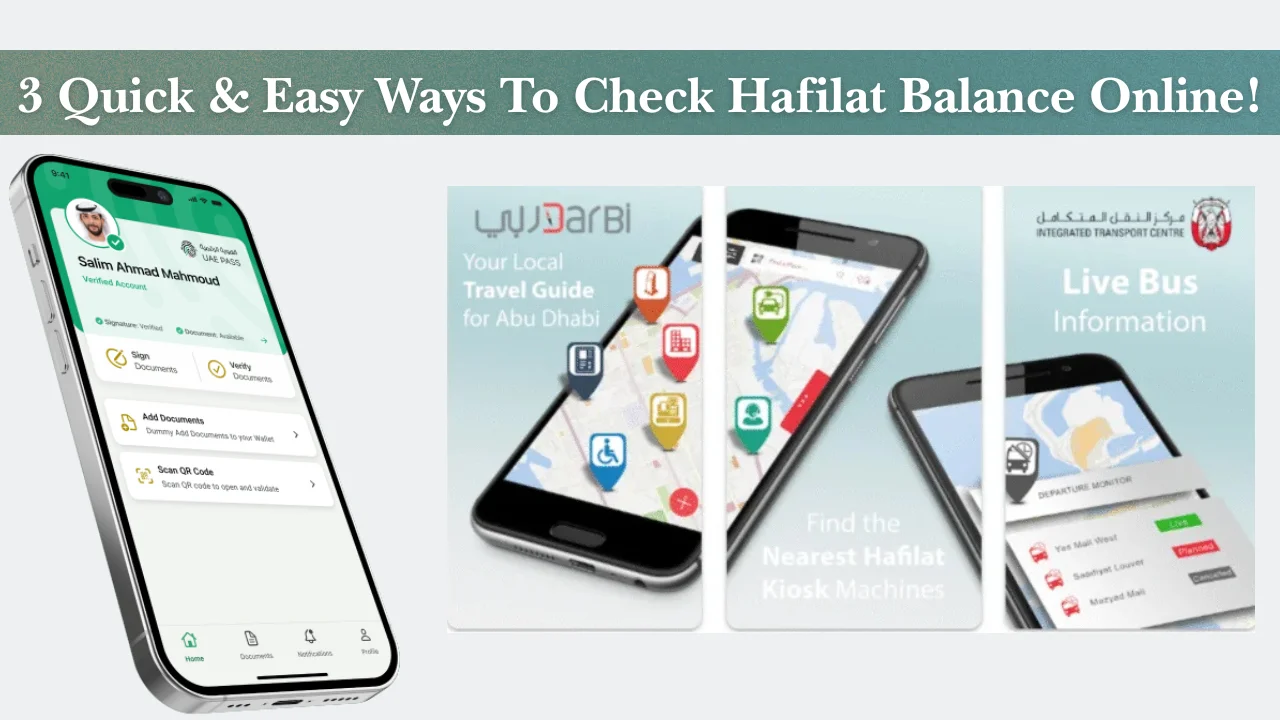
3 Quick & Easy Ways for Hafilat Balance Check
There are multiple methods available for hafilat check balance services. Some are online while others work offline.
Hafilat Balance Check Online via Website
One of the easiest methods is using the official online portal for hafilat card online check balance.
This method works well for users who prefer checking balance from home.
Step 1: Open the Official Portal
Visit the official transport or recharge website using your phone or computer.
Make sure:
- Your internet connection is stable
- You enter the correct website
- Your card is available nearby
Step 2: Select the Recharge or Balance Inquiry Option
On the homepage, look for options such as:
- Recharge Card
- Balance Inquiry
- Card Services
These sections usually allow users to continue with the check hafilat balance process.
Step 3: Enter Your Hafilat Card Serial Number
Type the serial number printed on your card carefully.
Avoid extra spaces or incorrect numbers because this may show an error.
Step 4: View Your Hafilat Card Balance
After submission, the website normally displays:
- Current balance
- Card validity
- Recent recharge details
- Pass information
This is one of the fastest ways for how to check balance in hafilat card online.
Hafilat Card Balance Check Through the Mobile App
Many UAE residents now prefer mobile applications because they are quicker and easier to access.
Using an app allows users to manage balance and recharge options from anywhere.
Step 1: Download and Install the App
Install the official transport app from your mobile app store.
Ensure:
- Your app is updated
- Notifications are enabled
- Mobile data or Wi-Fi is active
Step 2: Sign In or Create an Account
Users may need to:
- Register a mobile number
- Verify OTP
- Create login credentials
This helps save card details securely.
Step 3: Link or Add Your Hafilat Card
Add the card using its serial number.
Some apps also allow multiple card management for families.
Step 4: Check Hafilat Balance Instantly
Once the card is linked, users can instantly perform a hafilat bus card balance check online directly from the dashboard.
The app may also show:
- Recharge history
- Expiry information
- Travel activity
Step 5: Manage Multiple Cards and Recharge History
This feature is useful for parents, companies, and transport managers.
You can:
- Save several cards
- View previous payments
- Monitor recharge records
- Recharge instantly
Hafilat Bus Card Balance Check at Machines and Bus Stations
Offline methods are still popular among daily bus passengers.
These options work well for users without internet access.
Ticket Vending Machines
Ticket machines are available at major bus stations.
Steps:
- Insert or tap the card
- Choose balance inquiry
- Wait for the system response
- View available balance
This is a quick method for hafilat bus card balance check.
On-Bus Validator Machines
Many buses have validator devices near the entrance.
When you tap the card:
- The remaining balance may appear on the screen
- The fare deduction is shown
- Users can quickly check travel credit
Bus Station Counters and Service Centres
Passengers can visit transport service counters for assistance.
Staff may help with:
- Balance checking
- Recharge issues
- Card replacement
- Pass activation
Retail Recharge Outlets
Some grocery stores and payment kiosks also support balance checking and recharge services.
This option is useful for residents living far from bus stations.
Other Ways to Do a Hafilat Check Balance
Apart from online portals and apps, some additional support options are available.
Hafilat Balance Check by SMS or Phone Support
In some cases, transport support services may help users through helpline systems.
Passengers may need:
- Card number
- Registered mobile number
- Identity verification
This method may vary depending on current service availability.
Balance Check Through Customer Service Centres
Customer service centres provide face-to-face assistance.
Staff can help users with:
- check hafilat card balance
- Recharge delays
- Lost cards
- Expired passes
Carry your Emirates ID if required.
Checking Hafilat Balance at Retail Partner Shops
Selected retail stores may support:
- Balance checks
- Card recharge
- Monthly pass services
This helps passengers complete transport tasks during shopping visits.
Quick Comparison of Hafilat Balance Check Methods
Different balance checking methods offer different advantages.
| Hafilat Balance Check Method | Speed | Internet Required | Best For | Main Benefits |
| Hafilat Balance Check Online via Website | Fast | Yes | Home and office users | Available anytime, detailed account review, simple browser access |
| Mobile App Method | Very Fast | Yes | Daily commuters | Instant notifications, quick recharge, multi-card management |
| Bus Station Ticket Machines | Medium | No | Station passengers and tourists | Easy offline access, available at major stations, quick balance display |
| On-Bus Validator Machines | Fast | No | Regular bus travellers | Instant balance view while boarding or exiting the bus |
| Customer Service Centres | Slow | No | Users facing technical issues | Personal support, card replacement help, recharge issue assistance |
| SMS or Phone Support Method | Medium | Sometimes | Basic support users | Helpful during website or app problems, quick guidance |
| Retail Recharge Outlets | Medium | No | Nearby residents and cash users | Convenient offline recharge and balance checking services |
Hafilat Recharge Online and Offline
After checking balance, users often continue with hafilat recharge services.
Both online and offline recharge methods are available.
Hafilat Recharge Online
Online recharge is one of the most convenient methods.
Select Recharge Amount
Choose a recharge amount based on your travel needs.
Common options include:
- Small top-up amounts
- Weekly travel credit
- Monthly pass recharge
Complete Payment Securely
Payments are usually completed using:
- Debit cards
- Credit cards
- Mobile wallets
Always use secure internet connections during payments.
Confirm Recharge Status
After payment:
- Save the receipt
- Check SMS confirmation
- Refresh your balance page
Some recharges may take a few minutes to update.
Common Hafilat Balance Check Problems and Fixes
Sometimes passengers face technical issues while checking balance or recharging.
Balance Not Updating After Recharge
This usually happens due to processing delays.
Possible fixes:
- Wait 10 to 30 minutes
- Tap the card on a validator machine
- Refresh the app
- Restart the mobile application
Card Not Recognised
A damaged chip or wrong serial number may cause this issue.
Solutions:
- Clean the card gently
- Try another machine
- Contact customer support
- Replace damaged cards
Recharge Showing Pending
Pending status usually means payment verification is incomplete.
Users should:
- Keep payment receipts
- Avoid duplicate payments
- Contact support if delays continue
Damaged or Expired Card Issues
Old cards may stop working properly.
Passengers may need:
- Card replacement
- Balance transfer request
- Renewal support
Inactive or Long-Unused Cards
Cards unused for long periods may require reactivation.
Visit a service centre if online systems cannot detect your card.
Important Tips for Managing Your Hafilat Balance
Simple habits can help users avoid transport issues.
Enable Auto Recharge
Auto recharge automatically adds balance when funds become low.
This feature is useful for daily office workers.
Keep a Minimum Balance Before Travel
Always maintain the required hafilat card minimum balance before boarding.
This avoids inconvenience during travel.
Save Recharge Receipts and Confirmations
Receipts help during:
- Recharge disputes
- Failed transactions
- Balance correction requests
Check Balance Before Intercity Trips
Long-distance bus routes may require higher balance.
Always perform a hafilat card check balance before travelling.
Link Your Card for Faster Top-Ups
Linking cards inside the app makes future payments easier.
Use Low Balance Alerts and Notifications
Notifications remind users before the balance becomes too low.
This helps frequent passengers manage travel smoothly.
How to Apply for a Hafilat Card in Abu Dhabi
New residents and visitors can apply for a card easily.
Eligibility and Required Documents
Requirements may include:
- Emirates ID
- Passport copy
- Passport-size photo
- Student or senior proof if applicable
Where to Buy or Apply for a Hafilat Card
Cards are commonly available at:
- Bus stations
- Service centres
- Ticket vending machines
- Approved outlets
Some local information websites such as Dubai archives also publish UAE transport guidance for residents.
Step-by-Step Application Process
The process is usually simple and quick.
Visit the Nearest Service Location
Choose a nearby transport centre or bus station.
Submit Documents and Application
Provide the required documents and complete the application form.
Pay Fees and Collect Your Card
After payment, users usually receive the card immediately or within a short time.
Hafilat Card Usage Tips for Bus Travel
Correct card usage helps passengers avoid extra charges.
What to Do Before Boarding
Before entering the bus:
- Ensure sufficient balance
- Keep the card ready
- Check pass validity
This makes boarding quicker for everyone.
How to Tap In and Tap Out Correctly
Passengers should:
- Tap when entering
- Wait for confirmation sound
- Tap again when leaving
Failing to tap correctly may result in incorrect fare deductions.
Important Travel Tips for Daily Riders
Useful travel habits include:
- Recharge before peak hours
- Avoid card bending or damage
- Keep receipts safely
- Monitor card expiry regularly
Passengers often search online for how to check hafilat balance, how to check hafilat card balance online, and how to check hafilat card balance before daily commuting.
Conclusion
Managing your transport card properly makes bus travel in Abu Dhabi simple and stress free. Whether you prefer online services, mobile apps, ticket machines, or support centres, there are many easy ways to complete a hafilat balance check.
Regular balance monitoring helps passengers avoid delays, failed trips, and unnecessary fines. Online systems now make it much easier to perform hafilat balance check online from anywhere in the UAE.
FAQs
How can I do a Hafilat balance check online?
You can visit the official transport portal, enter your card serial number, and view your available balance online.
How can I check my Hafilat card balance on mobile?
Install the official transport application, add your card details, and view balance information directly from the dashboard.
Is there an SMS number for Hafilat balance check?
SMS and support options may vary. Some passengers contact customer support for balance information and card assistance.
Why is my Hafilat balance not updating?
Recharge updates sometimes take a few minutes. Tap the card on a validator machine or refresh the application.
Can I recharge my Hafilat card online?
Yes, online recharge services are available through websites and mobile apps.
What is the easiest way to check Hafilat balance?
Most passengers prefer mobile applications because they are quick and easy to use.
How do I check Hafilat card expiry?
Expiry information is usually visible in the app, website account, or customer support systems.
What should I do if my Hafilat card is expired?
Visit a transport service centre for renewal or replacement assistance.
Can I manage multiple Hafilat cards in one app?
Some mobile applications support adding and managing multiple transport cards.
Where can I recharge my Hafilat card in Abu Dhabi?
You can recharge at bus stations, ticket machines, mobile apps, websites, and selected retail outlets.
What is the minimum balance required on a Hafilat card?
The required minimum balance may vary depending on route and transport rules.
Can I transfer Hafilat balance to another card?
Balance transfer support depends on transport authority policies and card type.
How much does a Hafilat card cost in the UAE?
Card prices can vary depending on the card type and included travel credit.
How do I pay Hafilat fines online?
Passengers can usually pay fines through official transport websites or approved payment systems.