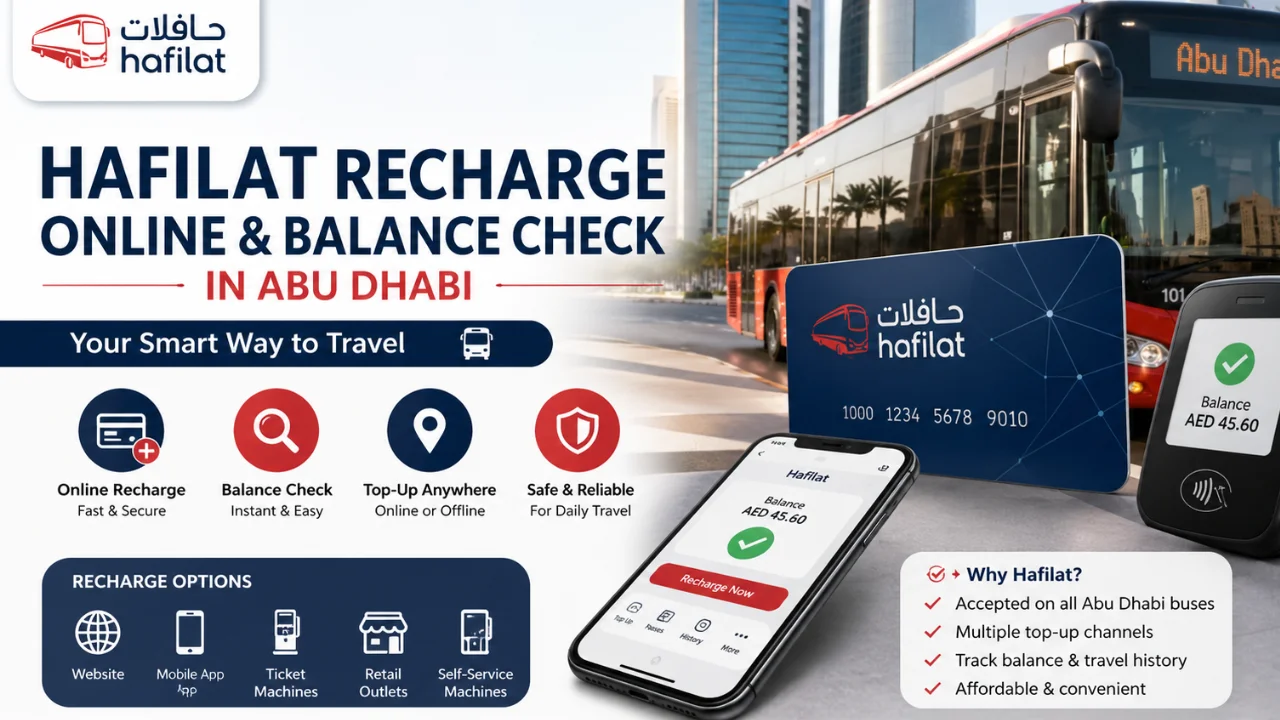
Hafilat Recharge is one of the most searched public transport topics in Abu Dhabi because thousands of residents use buses every day for work, school, shopping, and travel.
- What is a Hafilat Card?
- Types of Hafilat Cards
- Hafilat Recharge Online
- Hafilat Card Online Recharge Through the Official Website
- Hafilat Recharge Through Mobile App
- Hafilat Recharge via Digital Wallet App
- Benefits of Linking Your Hafilat Card to a Digital Wallet
- Easy Balance Top-Ups
- Flexible Recharge Options
- Strong Transaction Security
- Quick and Hassle-Free Registration
- Offline Hafilat Recharge Methods
- Hafilat Recharge at Ticket Vending Machines
- Hafilat Recharge Through Cash Reload Machines
- Hafilat Recharge at Customer Happiness Centres
- Hafilat Recharge Through Authorised Retail Outlets
- Hafilat Recharge Through Self-Service Recharge Machines
- Hafilat Balance Check Online
- Offline Hafilat Balance Check Methods
- Hafilat Recharge and Balance Check Comparison
- How to Apply for a Hafilat Card in Abu Dhabi
- Eligibility Requirements and Required Documents
- Where to Apply for a Hafilat Card
- Step-by-Step Application Process
- How to Use a Hafilat Card on the Bus
- Hafilat Passes and Fare Information
- Tips for Maintaining Sufficient Hafilat Balance
- Hafilat Fines Check Online
- Common Hafilat Card Issues and Solutions
- Conclusion
- FAQs
- How to recharge a Hafilat card online?
- How to check Hafilat card balance online?
- How to check Hafilat balance via SMS?
- What is the minimum balance required on a Hafilat card?
- How long does a Hafilat online recharge take?
- Where can I recharge my Hafilat card in Abu Dhabi?
- Can I recharge a Hafilat monthly pass online?
- How much does a Hafilat card cost?
- How can I apply for a new Hafilat card?
- What should I do if my Hafilat card is not working?
- Can I transfer balance from one Hafilat card to another?
- How can I renew my Hafilat card?
- How can I check Hafilat card validity or expiry date?
- Is there a mobile app for Hafilat recharge and balance check?
With simple hafilat online recharge options, travellers can top up their balance online or offline in just a few minutes.
In this detailed Dubai Archives guide, you will learn everything about hafilat card recharge, hafilat card online recharge, Hafilat Balance check methods, card types, recharge options, fines, passes, and how to use the card correctly in Abu Dhabi.
What is a Hafilat Card?
A hafilat card is a smart transport card used for public bus travel in Abu Dhabi. Instead of paying cash inside the bus, passengers tap the card on the machine while entering and leaving the bus. The fare is automatically deducted from the card balance.
The system helps make public transport faster, cleaner, and more organised across Abu Dhabi. You can use the card on city buses, regional buses, and selected transport services.
Purpose and Benefits of the Hafilat Card
It’s purpose and main benefits include:
- Faster boarding process on buses
- Secure cashless payment method
- Easy hafilat recharge online services
- Different pass options for students and frequent travellers
- Better travel tracking and fare management
- Convenient balance checking methods
- Suitable for residents, tourists, workers, and students
Why You Need a Hafilat Card in Abu Dhabi
A hafilat card is necessary for smooth travel on most public buses. The card is especially useful for:
- Daily office commuters
- University and school students
- Labour workers travelling long distances
- Tourists using public transport
- Families looking for affordable travel
Without a valid hafilat balance, passengers may face travel delays or fines during inspection.
Types of Hafilat Cards
Different hafilat card types are available based on travel needs and passenger categories. Some cards are for regular users while others provide discounts for students, senior citizens, and People of Determination.
- Anonymous Card: A basic card for tourists and occasional travellers, no registration required.
- Personalised Card: A registered card with user details, offering security and balance recovery if lost.
- Student Card: A discounted travel card for eligible students with required educational proof.
- Senior Citizen Card: A card for elderly residents providing special travel discounts and benefits.
- People of Determination Card: A special card offering discounted transport for eligible individuals with supporting documents.
- Corporate / Company Card: A business card used by companies to manage employee transportation efficiently.
Hafilat Card Prices and Costs
The table below explains common hafilat card categories and their general usage.
| Hafilat Card Type | Suitable For | Main Benefit | Registration Required |
| Anonymous Card | Tourists and short-term users | Quick purchase and usage | No |
| Personalised Card | Residents and daily travellers | Secure and recoverable balance | Yes |
| Student Card | School and university students | Discounted fares | Yes |
| Senior Citizen Card | Elderly passengers | Travel support and discounts | Yes |
| People of Determination Card | Eligible special category users | Concession benefits | Yes |
| Corporate Card | Businesses and employees | Organised transport management | Yes |
Hafilat Recharge Online
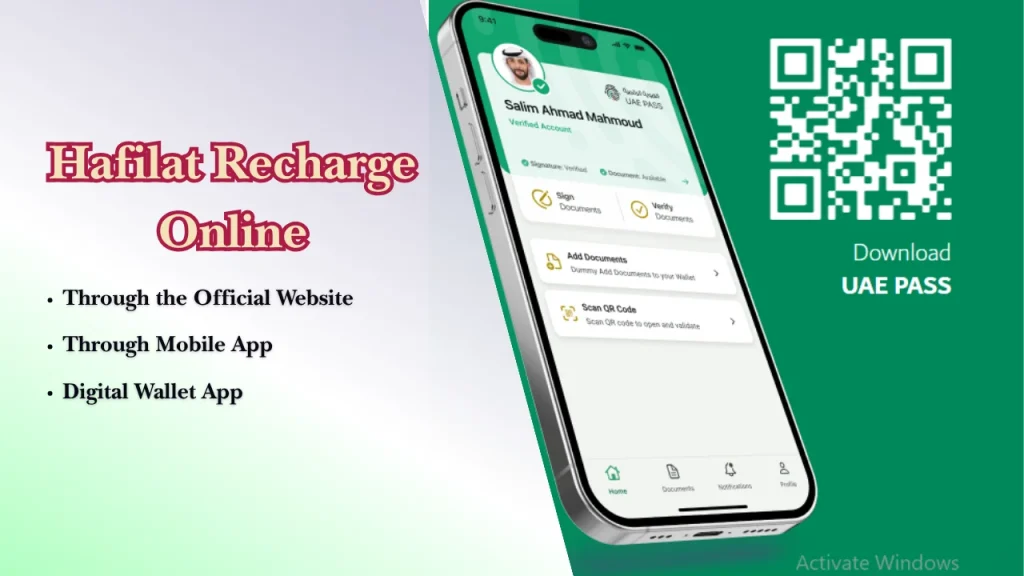
Hafilat recharge online services help passengers top up their card balance without visiting physical centres.
Today, many people prefer hafilat card recharge online because it is quick, secure, and available at any time. Users can recharge hafilat cards through websites, apps, and digital wallet services.
Hafilat Card Online Recharge Through the Official Website
The official recharge portal is one of the easiest ways to complete hafilat card recharge online. Users only need an internet connection, card number, and payment method.
For updated transport information, users can also check official UAE transport portals such as https://itc.gov.ae.
Step 1: Visit the Recharge Portal
- Open the official transport recharge website using your mobile phone or computer browser.
- Once the page opens, locate the recharge or transport card services section.
Step 2: Enter Your Card Details
- Type your hafilat card serial number carefully in the required field. Double-check the number before moving to the next step.
Step 3: Verify Current Card Balance
- The system may display your current hafilat balance before recharge.
- Checking your balance first also helps avoid unnecessary top-ups.
Step 4: Select Recharge Amount
- Choose the amount you want to add to the card.
- Always select an amount suitable for your weekly or monthly travel needs.
Step 5: Add to Basket
- After selecting the recharge value, add the recharge request to your basket or payment summary.
- Review all information carefully before continuing.
Step 6: Complete Secure Payment
- Enter your debit card or credit card details and complete the payment securely.
- Some banks may send an OTP verification code.
- Wait for the confirmation page after payment is successful.
Step 7: Receive Recharge Confirmation
Once the recharge is completed, users normally receive confirmation through SMS or email.
Also Read: Lulu Balance Check Online
Hafilat Recharge Through Mobile App
Mobile applications provide another simple way to recharge hafilat cards online. Apps are useful because users can quickly manage balance checks and top-ups from their phones.
These apps are popular among daily commuters who regularly use Abu Dhabi public buses.
Step-by-Step Recharge Process
- Download the transport mobile application from your app store.
- Log in or create your account.
- Add your hafilat card details.
- Open the recharge section.
- Select the recharge amount.
- Complete the payment using your preferred payment method.
- Wait for confirmation notification.
Hafilat Recharge via Digital Wallet App
Digital wallet applications also support hafilat recharge online services. Many UAE residents use digital wallets because they offer easy payments and fast processing.
Step-by-Step Recharge Process
- Install a supported digital wallet application.
- Register your account with mobile verification.
- Access transport or card services.
- Link your hafilat card.
- Choose the recharge amount.
- Pay securely using wallet balance or bank card.
- Receive recharge confirmation.
Benefits of Linking Your Hafilat Card to a Digital Wallet
Linking a hafilat card with a digital wallet provides more flexibility for users who travel frequently in Abu Dhabi.
Easy Balance Top-Ups
Users can recharge hafilat cards within minutes without searching for vending machines or service centres. Online wallet systems also allow quick balance management from anywhere in the UAE.
Flexible Recharge Options
Digital wallets support different payment methods such as debit cards, bank accounts, and stored wallet balance.
Passengers can recharge smaller or larger amounts based on their travel budget.
Also Read: Emirates ID Status Check
Strong Transaction Security
Most wallet systems use secure payment protection, OTP verification, and account authentication for safer transactions.
Quick and Hassle-Free Registration
Registration is usually simple and takes only a few minutes. Users only need a valid mobile number and identification details.
After registration, future hafilat card recharge processes become much faster.
Offline Hafilat Recharge Methods
Many residents use vending machines, recharge centres, and retail outlets for quick hafilat card recharge services without needing internet access.
These offline options are useful for workers, students, tourists, and elderly passengers who may not regularly use online banking or mobile applications.
Hafilat Recharge at Ticket Vending Machines
Passengers can recharge hafilat cards within a few minutes by following the instructions shown on the machine screen.
Step-by-Step Recharge Process
- Visit the nearest ticket vending machine at a bus station or transport hub.
- Select your preferred language from the machine screen.
- Tap or insert your hafilat card into the machine reader.
- Choose the recharge option from the menu.
- Select the amount you want to add to your card.
- Insert cash or complete payment using the available payment method.
- Wait for the machine to process your request.
- Collect your hafilat card and payment receipt.
Always verify your updated hafilat balance before leaving the machine area.
Hafilat Recharge Through Cash Reload Machines
Cash reload machines are especially useful for passengers who do not use debit cards or online payment systems.
How Cash Reload Machines Work
Passengers insert or tap their hafilat card on the machine reader and select the recharge amount. The machine then accepts cash and updates the card balance automatically.
The entire process usually takes only a few minutes and provides instant recharge confirmation.
Strategic Locations Across Abu Dhabi
Cash reload machines are commonly available at:
- Major bus stations
- Public transport terminals
- Shopping centres
- Government service areas
- Residential transport hubs
- Intercity bus stations
These locations make hafilat recharge convenient for daily commuters.
Key Benefits
Benefits of using cash reload machines include:
- Fast recharge process
- No internet required
- Easy cash payment support
- Available in public areas
- Suitable for emergency balance top-ups
- User-friendly instructions in multiple languages
Limitations to Consider
Some cash reload machines may become crowded during office hours and weekends. Technical maintenance may also temporarily affect machine availability.
Passengers should carry smaller currency notes for smoother transactions.
Hafilat Recharge at Customer Happiness Centres
Customer happiness centres provide direct assistance for hafilat card recharge, balance issues, and transport guidance. Staff members can also help passengers facing technical problems with their cards.
These centres are useful for users who prefer face-to-face support.
Service Centre Locations
Customer happiness centres are usually located near:
- Main bus stations
- Government transport offices
- Public transport hubs
- Service centres in Abu Dhabi city
Passengers should check official transport timings before visiting.
Recharge Steps
- Visit the nearest customer happiness centre.
- Take a queue token if required.
- Provide your hafilat card to the staff member.
- Request the recharge amount.
- Complete payment using cash or bank card.
- Wait for recharge confirmation.
- Verify your updated balance before leaving.
Hafilat Recharge Through Authorised Retail Outlets
Many authorised retail stores in Abu Dhabi support hafilat card recharge services. This option is useful for residents who live far from bus stations or transport offices.
Passengers can recharge hafilat cards while shopping or completing daily errands.
How Retail Recharge Works
Users provide their hafilat card or serial number to the cashier. The cashier processes the recharge after receiving payment.
Passengers should always keep the recharge receipt for future reference and balance verification.
Hafilat Recharge Through Self-Service Recharge Machines
Self-service recharge machines allow passengers to recharge hafilat cards independently without staff assistance. These machines use touch-screen instructions for quick and easy transactions.
They are commonly available in transport stations and public areas across Abu Dhabi.
Hafilat Balance Check Online
Hafilat Balance check services help passengers monitor their remaining travel credit before boarding buses. Regular hafilat card balance check services are important because insufficient balance may interrupt travel or result in fines.
Today, users can complete hafilat balance inquiry online through websites, mobile applications, and digital wallet platforms. These services make hafilat card online recharge and balance tracking easier for daily travellers.
Hafilat Balance Check Through the Official Website
The official transport website provides a simple method for hafilat card balance check online. Passengers only need internet access and their hafilat card serial number.
This method is suitable for users who prefer desktop or mobile browser access.
Step 1: Open the Website and Log In
Open the official transport website using your preferred internet browser. Some services may ask users to sign in before checking balance information.
Step 2: Select the Recharge Card Service
After opening the website, locate the recharge card or balance inquiry section from the homepage menu.
Step 3: Enter Your Card Serial Number
Carefully type the serial number printed on your hafilat card into the required field.
Step 4: Submit and View Your Balance
Press the submit or inquiry button to continue. The system will display your available hafilat balance on the screen.
Extra Details and Troubleshooting Tips
- Refresh the page if the website is loading slowly.
- Use a stable internet connection.
- Double-check the card serial number before submission.
- Wait a few minutes after recharge for balance updates.
- Try another browser if the page is not working.
- Contact customer support if balance information does not appear.
Hafilat Balance Check via Mobile App
Mobile applications provide one of the fastest ways to complete hafilat card balance check services. Passengers can manage balance information directly from their smartphones anytime.
Step 1: Download and Install the App
Open your mobile application store and search for the official transport app.
Download and install the application only from trusted sources for better security.
Step 2: Create an Account or Log In
New users should register using their mobile number and required personal details. Existing users can simply log in.
Keep your login information secure for safer account access.
Step 3: Add or Link Your Hafilat Card
Enter the hafilat card serial number in the card management section. Some systems may send OTP verification for confirmation.
Once linked, the card will appear in your account dashboard.
Step 4: Check Hafilat Balance
Open the card section inside the app to view your available balance.
Step 5: Manage and Track Your Card Activity
The mobile app helps passengers track recharge history and transport spending.
Offline Hafilat Balance Check Methods
Offline Hafilat Balance check methods are useful for passengers who do not regularly use smartphones or internet services. These methods are available at transport stations and public service points across Abu Dhabi.
Passengers can use SMS services and ticket vending machines for quick balance inquiry.
Hafilat Balance Check Through SMS
SMS balance inquiry is a simple option for users with basic mobile phones. This method allows passengers to check their hafilat balance without opening websites or mobile applications.
Passengers should follow the correct SMS format to avoid errors.
Open Your Messaging App
- Open the SMS application on your mobile phone.
- Type the required balance inquiry message.
- Enter your hafilat card number correctly.
- Send the message to the official inquiry number.
- Wait for the balance confirmation reply.
Tips to Avoid SMS Errors
- Double-check the card number before sending.
- Avoid extra spaces in the message.
- Ensure enough mobile balance for SMS charges.
- Maintain proper mobile network signal.
- Wait a few minutes before retrying failed requests.
Hafilat Recharge and Balance Check Comparison
| Comparison Type | Online Methods | Offline Methods | Recommended Option |
| Online vs Offline Recharge Methods | Recharge through websites, apps, and wallet services | Recharge through vending machines and retail outlets | Online methods for faster service |
| Fastest Recharge Options | Mobile app and wallet recharge are usually instant | Retail shops may require waiting time | Mobile application recharge |
| Most Convenient Balance Check Methods | Balance check available anytime online | Requires physical visit to machines or centres | Official website and mobile app |
| Recommended Recharge Methods for Daily Travellers | Auto recharge and app-based systems | Ticket vending machines during travel | Mobile app and wallet services |
How to Apply for a Hafilat Card in Abu Dhabi
A hafilat card is necessary for passengers who regularly use Abu Dhabi public buses. The card allows cashless travel and helps passengers move quickly through the bus boarding process.
Residents, students, workers, and tourists can apply for different hafilat card categories depending on their travel requirements.
Eligibility Requirements and Required Documents
Passengers may need the following documents during application:
- Valid Emirates ID
- Passport copy for visitors if required
- Passport-size photograph
- Student proof for student cards
- Senior citizen verification documents
- People of Determination documents
- Company documents for corporate cards
Where to Apply for a Hafilat Card
Passengers can apply for hafilat cards at transport service centres, bus terminals, and approved customer service locations across Abu Dhabi.
Some services may also support online pre-registration.
Step-by-Step Application Process
Applying for a hafilat card is simple when all required documents are prepared in advance. Passengers should carefully follow the official registration process.
Step 1: Find the Nearest Application Centre
Visit the nearest transport registration centre or approved service location in Abu Dhabi.
Step 2: Take a Queue Token and Wait for Your Turn
Most centres use a token system to manage customer visits properly.
Step 3: Submit Documents and Complete Registration
Provide the required documents and complete the application form carefully.
Staff members may verify your identity before processing the request.
Step 4: Receive Your Hafilat Card
After successful registration, users receive their hafilat card.
Some personalized cards may require additional processing time before collection.
How to Use a Hafilat Card on the Bus
Using a hafilat card correctly helps passengers travel smoothly across Abu Dhabi public transport services. The card allows cashless travel and makes boarding faster and more organised for daily commuters.
Before Boarding the Bus
- Before entering the bus, passengers should make sure their hafilat card has enough balance for the journey. A low balance may stop the card from working properly during boarding.
- Users should also keep the card ready in hand before the bus arrives. This helps reduce waiting time for other passengers and makes the boarding process faster.
- Passengers should regularly complete hafilat balance check services before travel, especially during office hours or long-distance journeys.
How to Tap Your Card When Boarding
When entering the bus, place your hafilat card on the card reader machine near the entrance door. Hold the card steadily for a few seconds until the machine gives a confirmation sound or green light.
Note: Passengers should avoid tapping multiple times because this may create duplicate fare records or delays.
How to Tap Out When Leaving
Before leaving the bus, passengers must tap the hafilat card again on the exit card reader. This step is important because the transport system calculates the correct fare based on travel distance.
If passengers forget to tap out, the system may deduct a higher amount from the hafilat balance automatically.
Note: Always wait for the confirmation sound or message before exiting the bus.
Hafilat Passes and Fare Information
| Pass Type | Suitable For | Duration | Main Benefit |
| T-Purse | Occasional travellers | Pay per trip | Flexible travel spending |
| 7-Day Pass | Short-term users | 7 days | Weekly travel convenience |
| 30-Day Pass | Daily commuters | 30 days | Monthly travel savings |
| Student Annual Pass | Students | 1 year | Discounted student fares |
| Senior Citizen Pass | Elderly passengers | 1 year | Affordable transport support |
| People of Determination Pass | Eligible users | 1 year | Special travel assistance |
Tips for Maintaining Sufficient Hafilat Balance
Below are useful tips to manage your hafilat card balance efficiently.
- Enable Auto-Recharge Options
Activate automatic recharge services through mobile apps or digital wallets to avoid low balance situations during travel. - Set Weekly Balance Reminders
Use mobile reminders to complete regular hafilat balance check services every week. - Recharge Before Peak Travel Hours
Recharge your card before office timings to avoid long queues at stations and vending machines. - Keep a Minimum Balance at All Times
Maintain extra travel credit on your hafilat card for emergency journeys and unexpected travel needs. - Recharge in Larger Amounts for Convenience
Adding larger recharge amounts may reduce the need for frequent top-ups during the month. - Monitor Your Travel Habits and Spending
Track your travel expenses through mobile applications to better manage your transport budget. - Use Online Recharge for Faster Transactions
Hafilat online recharge services are usually faster than physical recharge locations. - Check Your Balance After Every Recharge
Always confirm updated balance information after completing recharge transactions. - Keep Extra Credit for Long Trips
Long-distance travel may require additional balance depending on travel zones and routes. - Protect Your Hafilat Card from Damage
Avoid bending, scratching, or exposing the card to water because damaged cards may stop working properly.
Hafilat Fines Check Online
Passengers can check hafilat fines online through official transport portals or mobile applications.
Follow these simple steps:
- Open the official transport website or app.
- Log into your account if required.
- Open the fines or violations section.
- Enter your hafilat card details.
- View pending fines and violation information.
Always verify the details carefully before making payment.
Common Hafilat Card Issues and Solutions
Passengers may sometimes face problems related to hafilat recharge, card expiry, activation, or balance updates. Most of these issues can be solved quickly by following proper guidance and using official transport services.
The table below explains common hafilat card issues and their recommended solutions.
| Common Issue | Solution |
| What to Do if Your Hafilat Card Expires | Visit a customer service centre or renew the card through official online services if available. |
| How to Renew an Expired Hafilat Card | Submit the required documents and renewal request through transport service centres. |
| How to Renew a Hafilat Card Online | Log into the official portal, select renewal services, and complete payment if required. |
| How to Check Hafilat Card Expiry Date | Check the expiry information through the mobile app, website, or customer support services. |
| What to Do if the Recharge Website Is Not Working | Refresh the page, try another browser, or use mobile app recharge services instead. |
| How to Transfer Hafilat Card Balance | Visit customer support centres because balance transfer policies may depend on card type and eligibility. |
| How to Activate and Register a Hafilat Card | Complete registration through official transport systems and verify the card using required documents. |
| How to Add a Hafilat Card to Mobile Wallets | Open the wallet app, enter the card details, and complete verification steps for linking services. |
Conclusion
Hafilat cards make public bus travel in Abu Dhabi easier, faster, and more organised for residents and visitors. From hafilat recharge online services to offline balance inquiry methods, passengers now have multiple convenient options for managing daily travel needs.
Regular hafilat card balance check services, timely recharge, and proper card usage can help travellers avoid delays and transport fines. Whether you use mobile applications, ticket vending machines, or digital wallets, managing your hafilat card has become much simpler in 2026.
For smooth travel experiences, always maintain enough balance, protect your card properly, and use official transport services for secure recharge and balance management.
FAQs
How to recharge a Hafilat card online?
Passengers can complete hafilat online recharge through official transport websites, mobile apps, or supported digital wallet applications.
How to check Hafilat card balance online?
Users can complete hafilat card balance check online by entering the card serial number on official transport portals or mobile applications.
How to check Hafilat balance via SMS?
Passengers can send the required SMS format with their hafilat card number to the official inquiry service number.
What is the minimum balance required on a Hafilat card?
The required minimum balance may vary depending on travel distance and transport policies. Keeping extra balance is recommended.
How long does a Hafilat online recharge take?
Most hafilat card online recharge transactions are processed within a few minutes.
Where can I recharge my Hafilat card in Abu Dhabi?
Passengers can recharge hafilat cards online, at ticket vending machines, retail outlets, and customer happiness centres.
Can I recharge a Hafilat monthly pass online?
Yes, many official online systems support monthly pass recharge services.
How much does a Hafilat card cost?
Hafilat card prices may vary depending on the card type and selected travel category.
How can I apply for a new Hafilat card?
Passengers can apply through transport service centres and approved application locations in Abu Dhabi.
What should I do if my Hafilat card is not working?
Check the balance first and inspect the card for physical damage. If the issue continues, contact customer support.
Can I transfer balance from one Hafilat card to another?
Balance transfer policies may vary. Passengers should confirm eligibility through official transport support services.
How can I renew my Hafilat card?
Users can renew eligible cards through online systems or customer service centres.
How can I check Hafilat card validity or expiry date?
Expiry details are usually available through mobile apps, websites, and customer support services.
Is there a mobile app for Hafilat recharge and balance check?
Yes, official transport mobile applications support both hafilat recharge and hafilat balance check services.