Dubai’s public transport system is one of the most modern in the UAE, and the Nol card makes daily travel simple for residents and visitors.
- What is a Nol Card?
- Types of Nol Cards
- Why Nol Card Recharge Online is Important
- Time-Saving and Convenience
- Fast Processing and Instant Updates
- 24/7 Availability
- Real-Time Balance Management
- Multiple Recharge Options
- How to Recharge Nol Card Online
- Create or Log in to Your Account
- Enter Nol Card Details
- Select Recharge Amount
- Choose Payment Method
- Confirm and Complete Payment
- Verify Updated Balance
- RTA Nol Card Recharge Online Methods
- Recharge Through the Official Transport Website
- Recharge Using Mobile Applications
- Recharge Through Digital Wallets
- Recharge Through Banking Applications
- Recharge Using Integrated Transport Apps
- Instant Nol Card Recharge Methods
- Physical Locations for Nol Card Recharge
- Metro and Tram Stations
- Bus Station Recharge Machines
- Grocery and Convenience Stores
- Petrol Stations
- Authorised Retail Outlets
- Minimum and Maximum Nol Card Recharge Limits
- How Long Does Nol Card Recharge Take to Reflect?
- Features and Benefits of a Nol Card
- Secure and Reliable Transactions
- Easy and Fast Payments
- Multi-Purpose Usage Across Dubai
- Convenient Cashless Travel
- Accessibility and Ease of Use
- How to Check Nol Card Balance
- Online Balance Check
- Mobile App Balance Check
- SMS Balance Inquiry
- Checking Balance at Stations and Machines
- Common Nol Card Recharge Problems and Solutions
- Tips for Smooth RTA Nol Card Recharge
- Keep Sufficient Travel Balance
- Save Recharge Receipts
- Use Secure Payment Methods
- Enable Auto Recharge for Convenience
- Additional Nol Card Services
- Transaction History Check
- Card Registration and Account Management
- Refund and Balance Recovery
- Digital and Mobile Wallet Integration
- Card Expiry and Renewal
- Conclusion
- FAQs
- How to recharge Nol Card online in Dubai?
- What is the minimum amount for Nol Card recharge?
- How long does online recharge take to update?
- Can I recharge someone else’s Nol Card?
- What payment methods are accepted for Nol Card recharge online?
- How can I find my Nol Card number or Tag ID?
- What should I do if my recharge is not updated?
- Can I get a refund on unused Nol Card balance?
- How do I check Nol Card expiry date?
Whether you travel by Metro, bus, tram, or water bus, having enough balance on your card is important for smooth journeys. Today, many people prefer Nol card recharge online because it saves time and allows instant balance updates.
This complete guide explains how to recharge Nol card online, where to top up your card in Dubai, recharge limits, balance checks, common problems, and useful tips.
For official transport information, users can also visit the official Dubai Roads and Transport Authority portal at https://www.rta.ae.
What is a Nol Card?
A Nol card is a smart travel card used for public transport payments in Dubai. It allows passengers to pay fares quickly without using cash. The card can be used on Dubai Metro, buses, trams, water buses, and selected parking services.
People across Dubai use Nol cards daily because they are convenient and simple to manage. Instead of buying separate tickets for every trip, travellers can recharge their card and continue using it for multiple journeys.
The card also supports cashless payments at selected shops, supermarkets, and service outlets in Dubai.
Types of Nol Cards
Dubai offers different Nol card options for various travel needs. Some cards are better for tourists, while others are suitable for daily commuters and residents.
| Nol Card Type | Suitable For | Main Features | Approximate Validity |
| Silver Card | Daily commuters | Affordable travel, easy recharge | Long-term |
| Gold Card | Premium travellers | Access to Gold Class cabins | Long-term |
| Personal Card | Residents and students | Secure registration and balance protection | Long-term |
| Red Ticket | Tourists and visitors | Limited trips and temporary use | Short-term |
Why Nol Card Recharge Online is Important
Using nol card recharge online services has become very popular in Dubai because it is quick and convenient. Instead of waiting in queues, users can recharge their cards anytime using mobile phones or computers.
Time-Saving and Convenience
Online recharge removes the need to visit Metro stations or ticket counters. Users can top up their cards within minutes.
Fast Processing and Instant Updates
Many recharge methods now support instant updates, especially mobile app and NFC services.
24/7 Availability
Online recharge systems work throughout the day and night, allowing users to recharge anytime.
Real-Time Balance Management
Users can monitor their travel balance, transaction history, and recharge records online.
Multiple Recharge Options
Dubai provides different recharge methods for user convenience.
Important benefits of online recharge include:
- Quick balance updates
- Easy payment through cards and wallets
- Secure online transactions
- Reduced waiting time
- Access from anywhere in the UAE
- Better travel planning for daily commuters
Online recharge services also help commuters avoid low balance problems during busy travel hours.
Many UAE residents who regularly use services like Fab balance check, Prepaid card Online check, Du number check, and Hafilat recharge Online also prefer digital transport services because they save time and make account management easier.
How to Recharge Nol Card Online
If you are wondering how to recharge nol card online, the process is simple and user-friendly. Most online recharge platforms follow similar steps.
Create or Log in to Your Account
Open the official transport portal or approved mobile application. Sign in using your account details. New users may need to create an account first.
Enter Nol Card Details
Enter your Nol card number carefully. Incorrect information may cause recharge delays.
Select Recharge Amount
Choose the amount you want to add to your card. Make sure the selected amount is within allowed limits.
Choose Payment Method
Most platforms accept:
- Debit cards
- Credit cards
- Digital wallets
- Online banking services
Confirm and Complete Payment
Check all entered details before completing payment. After confirmation, you will receive a payment notification.
Verify Updated Balance
After recharge, check your balance online or through Metro station machines to ensure the amount has been added successfully.
RTA Nol Card Recharge Online Methods
Dubai offers several methods for rta nol card recharge online. Users can choose whichever option suits them best.
Recharge Through the Official Transport Website
The official transport website allows users to recharge cards directly through secure online payment systems.
It also provides balance checks and transaction history.
- Visit the official transport website
- Sign in or create an account
- Enter your Nol card number carefully
- Select the recharge amount
- Choose a payment method such as debit or credit card
- Confirm the payment details
- Complete the transaction securely
- Check your updated balance online or at a station machine
Recharge Using Mobile Applications
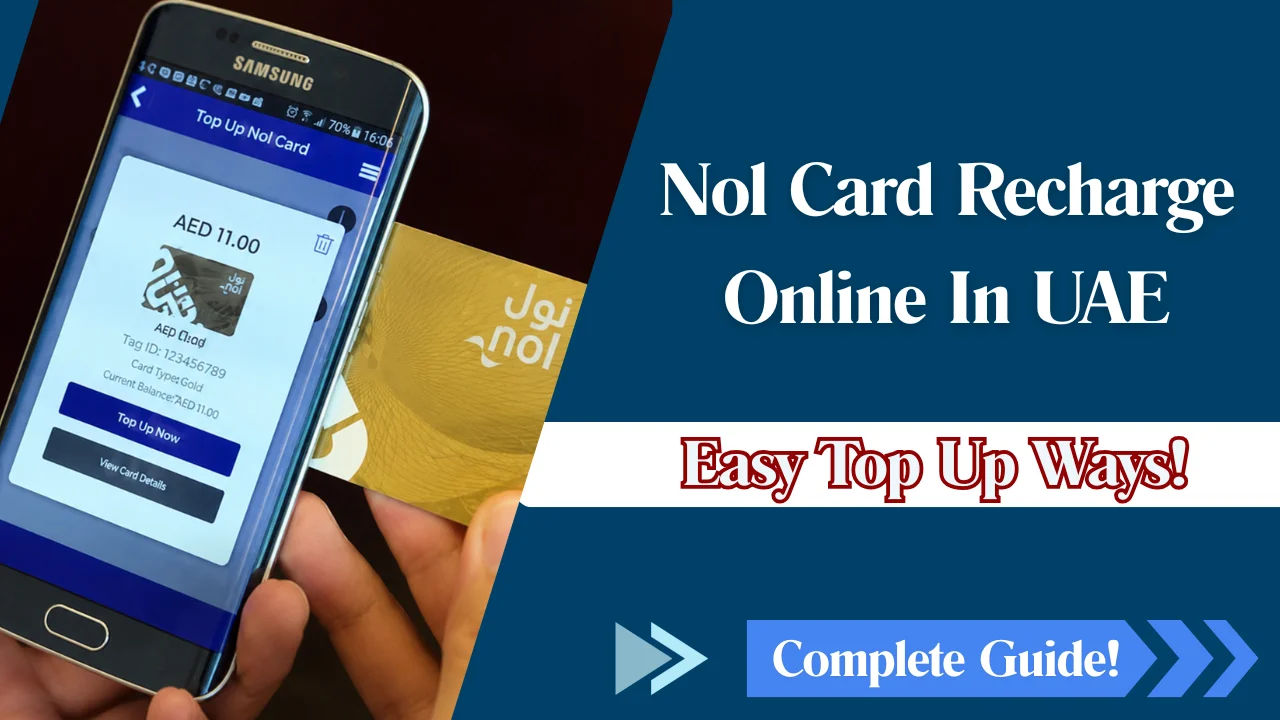
Mobile applications are one of the easiest ways to recharge a Nol card. Users can recharge within minutes using smartphones.
Steps to recharge through mobile apps:
- Download the approved transport application
- Log in to your account
- Add or scan your Nol card details
- Select the recharge value
- Make payment through your mobile device
- Confirm balance update
Advantages of mobile app recharge:
- Fast recharge within minutes
- Easy access while travelling
- NFC support for instant balance activation
- Balance checks and trip tracking in one place
Many applications also support NFC technology for faster balance updates.
Recharge Through Digital Wallets
Digital wallets are becoming increasingly popular in Dubai.
Users can connect their bank cards and complete recharges securely.
How to recharge using digital wallets:
- Open your preferred wallet application
- Link your bank or payment card
- Select the transport recharge option
- Enter your Nol card number
- Choose the recharge amount
- Confirm the payment securely
Recharge Through Banking Applications
Many UAE banking apps now support direct nol card balance recharge services.
Simple recharge process:
- Open your banking application
- Log in securely
- Find the transport or bill payment section
- Select Nol card recharge
- Enter your card details
- Choose recharge amount
- Confirm payment
Recharge Using Integrated Transport Apps
Integrated transport applications combine journey planning, ticket management, and recharge services in one place.
Instant Nol Card Recharge Methods
Many commuters prefer instant recharge methods because they provide faster balance activation.
Virtual Card Recharge
Virtual cards allow users to manage travel payments digitally through smartphones. These cards reduce the need for carrying physical cards.
NFC-Based Mobile Recharge
NFC-enabled phones can update card balances instantly. Users simply tap their cards against the mobile device.
Benefits of NFC recharge include:
- Faster balance activation
- Reduced waiting time
- Easy balance verification
- Secure digital payments
Auto Top-Up and Automatic Recharge Options
Auto top-up services automatically recharge the card when the balance becomes low. This feature is useful for daily commuters who regularly travel using Metro and buses.
Physical Locations for Nol Card Recharge
Although online recharge is popular, many people still prefer physical top-up services. Users searching for nol card recharge near me can find recharge points across Dubai.
Metro and Tram Stations
Metro stations remain one of the most common places for Nol card recharge. Ticket vending machines and counters are available at most stations.
Bus Station Recharge Machines
Bus stations across Dubai have recharge machines for quick balance top-ups. These machines are useful for travellers without internet access.
Grocery and Convenience Stores
Many local stores and supermarkets provide recharge services for daily commuters.
Petrol Stations
Several petrol stations in Dubai support Nol card recharge services.
Authorised Retail Outlets
Authorised service centres and retail outlets also offer recharge assistance.
If you are looking for a nol card recharge machine, Metro stations and bus stations are usually the easiest places to find one.
Minimum and Maximum Nol Card Recharge Limits
| Recharge Type | Minimum Recharge | Maximum Recharge | Notes |
| Online Recharge | Small fixed amount | Higher balance limits | Depends on card type |
| Metro Station Machines | Flexible | Standard card limit | Instant activation |
| Mobile Applications | Flexible | High limits available | Fast processing |
| Red Ticket Recharge | Limited | Lower limit | Temporary travel use |
| Personal Card Recharge | Flexible | Higher balance capacity | Suitable for regular commuters |
How Long Does Nol Card Recharge Take to Reflect?
Many users want to know how quickly the updated balance will appear after recharge.
Instant Recharge Methods
Mobile NFC recharge and selected applications may provide instant balance updates.
Delayed Recharge Scenarios
Some recharge methods may take additional time due to:
- System maintenance
- Network issues
- Payment verification delays
- Incorrect card information
Balance Activation Requirements
In some cases, users may need to tap the card at Metro gates or machines before the updated balance appears.
Features and Benefits of a Nol Card
Nol cards provide more than just transport payments. They offer convenience, security, and flexibility for Dubai travellers.
Secure and Reliable Transactions
Nol card systems use secure payment technology that protects user transactions.
Easy and Fast Payments
Passengers can quickly tap their cards at Metro gates and buses without carrying cash.
Multi-Purpose Usage Across Dubai
The card works across multiple transport systems including:
- Dubai Metro
- Public buses
- Trams
- Water buses
- Parking services
Convenient Cashless Travel
Cashless systems reduce waiting times and make commuting easier.
Accessibility and Ease of Use
Both residents and tourists can use Nol cards without complicated procedures.
How to Check Nol Card Balance
Nol card balance check regularly helps avoid travel interruptions.
Online Balance Check
Users can check balance information through the official online transport portal.
Mobile App Balance Check
Mobile applications provide fast access to balance information and recharge history.
SMS Balance Inquiry
Some services allow balance inquiries through SMS notifications.
Checking Balance at Stations and Machines
Metro station machines and ticket counters also display current card balances.
Common Nol Card Recharge Problems and Solutions
| Common Nol Card Recharge Problem | Possible Reason | Recommended Solution | Helpful Tips for Users |
| Nol Card Recharge Not Reflecting | The updated balance may take some time to appear after completing a nol card recharge online transaction. | – Wait a few minutes for system processing – Tap the card at a Metro or bus station machine – Restart the mobile application – Verify payment confirmation and transaction receipt | This is one of the most common rta nol card recharge online issues during busy hours. |
| Incorrect Card Information | Entering the wrong Nol card number or Tag ID can delay or fail the recharge process. | – Double-check the card number before payment – Re-enter correct details carefully – Use saved card information for accuracy | Always verify details while learning how to recharge nol card online to avoid payment errors. |
| Payment Failure Issues | Recharge payment may fail because of banking or network problems. | – Check bank restrictions – Ensure sufficient account balance – Use a valid debit or credit card – Retry after checking internet connection | Common during online payments for nol card balance recharge services. |
| Network or System Delays | Heavy traffic on recharge systems may slow balance updates during peak commuting hours. | – Wait for system refresh- Avoid repeated payment attempts- Try again after some time | Peak-time delays can affect both online recharge and nol card recharge machine services. |
| Lost Balance or Refund Requests | Users may lose balance because of damaged, expired, or misplaced cards. | – Contact official customer support – Request balance recovery for registered Personal Nol cards – Submit refund request if applicable | Registered cards provide better protection and recovery support for rta nol card recharge users. |
| Recharge Machine Errors | Some machines may temporarily stop working due to technical issues or maintenance. | – Try another nearby recharge machine – Use mobile app recharge instead – Visit a Metro station counter | Users searching for a nol card recharge machine near me can usually find alternatives at nearby stations. |
| Slow Mobile App Response | Mobile applications may freeze because of outdated software or weak internet connection. | – Update the application – Restart the app – Switch to a stronger internet connection | Keeping apps updated improves nol card recharge online performance. |
| Card Not Activating After Recharge | Some recharge methods require card activation before balance appears. | – Tap the card at a Metro gate or recharge machine – Wait for balance synchronisation | NFC-enabled recharge methods usually provide faster activation. |
Tips for Smooth RTA Nol Card Recharge
Following a few simple tips can help avoid recharge problems and travel delays.
Keep Sufficient Travel Balance
Always maintain enough balance before starting long journeys.
Save Recharge Receipts
Keep digital or printed payment receipts for future reference.
Use Secure Payment Methods
Recharge only through trusted platforms and authorised services.
Enable Auto Recharge for Convenience
Auto recharge services reduce the risk of insufficient balance during daily commuting.
Additional useful tips include:
- Check your balance regularly
- Recharge before peak travel hours
- Use registered cards for better security
- Keep your card clean and undamaged
Additional Nol Card Services
Dubai transport systems also provide additional card management services.
Transaction History Check
Users can view previous recharge and travel records online.
Card Registration and Account Management
Registering a card helps users manage balances and recover funds more easily.
Refund and Balance Recovery
Some card types may support refund requests for unused balances.
Digital and Mobile Wallet Integration
Many digital payment platforms now support Nol card services.
Card Expiry and Renewal
Users should monitor card validity dates and renew cards before expiry.
Conclusion
Nol card recharge services have made public transport in Dubai much easier for residents, tourists, and workers. Whether you prefer online platforms, mobile apps, or physical recharge machines, Dubai offers multiple secure options for quick top-ups.
Using nol card recharge online services can save time, reduce waiting, and help commuters travel smoothly across the city. By understanding recharge methods, balance checks, limits, and troubleshooting steps, users can manage their transport cards confidently and avoid travel interruptions.
FAQs
How to recharge Nol Card online in Dubai?
Users can recharge online through official transport portals, mobile applications, digital wallets, and selected banking applications.
What is the minimum amount for Nol Card recharge?
Minimum recharge amounts may vary depending on the recharge method and card type.
How long does online recharge take to update?
Some methods update instantly, while others may take a short processing period.
Can I recharge someone else’s Nol Card?
Yes, users can recharge another person’s card if they have the correct card number.
What payment methods are accepted for Nol Card recharge online?
Most services accept debit cards, credit cards, digital wallets, and online banking payments.
How can I find my Nol Card number or Tag ID?
The card number is usually printed on the back or front of the Nol card.
What should I do if my recharge is not updated?
Wait a few minutes, verify payment confirmation, and tap the card at a station machine if required.
Can I get a refund on unused Nol Card balance?
Some registered cards may support refund and balance recovery services.
How do I check Nol Card expiry date?
Users can check expiry dates through mobile applications, online portals, or customer service centres.